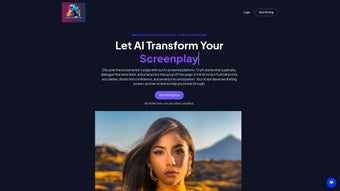

Download Screenwriting AI – AI‑powered screenwriting tool, script writer assistant
Overview
Screenwriting AI is a cutting‑edge web application that brings artificial intelligence directly into the craft of screenplay creation. Designed for both budding storytellers and seasoned professionals, the platform transforms a simple idea, a theme, or even a rough outline into a fully‑structured script packed with dialogue, character arcs, and compelling plot twists. By leveraging advanced language models, Screenwriting AI can generate up to 2,000 words of polished narrative in under 30 seconds, making the first draft phase faster than ever before.
The service operates on a subscription model, granting users unlimited access to a suite of AI‑assisted editing tools, a character generation wizard, and a minimalist editor that removes visual clutter so writers can focus on the story itself. Users can also select from more than 100 custom templates that emulate the narrative styles of iconic directors, giving each script a unique tonal fingerprint. Multi‑language support for over 30 languages opens the door for international writers to craft scripts that resonate with global audiences.
In addition to original creation, the platform offers powerful rewriting capabilities, allowing authors to polish existing drafts, tighten pacing, or adjust tonal elements without starting from scratch. By automating repetitive tasks while preserving creative control, Screenwriting AI serves as a reliable co‑author that helps writers stay productive, organized, and inspired throughout the entire screenwriting process.
Core Features & Benefits
- AI‑Assisted Drafting – Generates up to 2,000 words of screenplay content in less than 30 seconds.
- Character Generation Wizard – Creates fully‑fleshed characters with backstory, motivations, and arcs.
- Minimalist Editor – Distraction‑free writing environment with real‑time formatting.
- 100+ Custom Templates – Styles inspired by classic and contemporary directors.
- Multi‑Language Support – Write and translate scripts in more than 30 languages.
- AI Editing Suite – Grammar, style, pacing, and dialogue refinement tools.
- Rewrite & Polish Mode – Rework existing drafts while preserving core ideas.
- Plot Twist Generator – Suggests unexpected narrative turns that fit the story’s logic.
- Collaboration Hub – Share drafts with teammates and receive AI‑driven feedback.
- Secure Cloud Storage – Automatic saving with end‑to‑end encryption.
Why These Features Matter
The screenplay industry thrives on originality, yet the mechanical aspects of writing—formatting, continuity, and dialogue polishing—can drain creative energy. Screenwriting AI’s AI‑Assisted Drafting reduces the time spent on the blank‑page syndrome, giving writers a solid foundation to build upon. The Character Generation Wizard eliminates the need for separate character‑development worksheets, instantly providing depth that can be refined further. With a Minimalist Editor, writers avoid the temptation to get lost in UI clutter, keeping focus on narrative flow.
The 100+ Custom Templates are a game‑changer for writers who wish to emulate a specific cinematic voice. Whether you’re aiming for the tight suspense of Hitchcock or the sprawling imagination of Nolan, the templates adapt AI suggestions to match the chosen style. Multi‑Language Support expands the platform’s reach, allowing non‑English speakers to craft scripts in their native tongues while still benefitting from AI guidance.
Editing is often the most time‑intensive phase of screenwriting. The AI Editing Suite offers context‑aware suggestions that go beyond simple spell‑check, addressing rhythm, subtext, and character consistency. When a writer needs to revamp an older draft, the Rewrite & Polish Mode can re‑structure scenes, tighten dialogue, and even suggest alternative plot routes—all while preserving the writer’s original intent. Finally, the Collaboration Hub streamlines feedback loops, letting teams work together in real time with AI‑generated notes that highlight potential plot holes or character inconsistencies.
Installation, Usage & Compatibility
Getting Started – No Download Required
Screenwriting AI is a cloud‑based web application, meaning there is no traditional installation process. Users simply visit screenwritingai.com, create an account, and choose a subscription tier that fits their needs. The platform runs on modern browsers such as Chrome, Firefox, Safari, and Edge, providing a seamless experience across devices.
Step‑by‑Step Usage Guide
- Create an Account: Sign up with an email address or use single‑sign‑on options (Google, Apple).
- Select a Template: Choose a screenplay template that matches your desired style or genre.
- Input Your Vision: Provide a brief synopsis, themes, or emotional beats you want the story to explore.
- Generate Draft: Click “Generate” and let the AI produce up to 2,000 words of script in seconds.
- Edit & Refine: Use the minimalist editor to tweak dialogue, restructure scenes, or invoke the character wizard for deeper development.
- Polish & Export: Run the AI editing suite, then export the final script in industry‑standard formats (PDF, Final Draft .fdx, or plain .txt).
Supported Operating Systems
Because Screenwriting AI lives in the browser, it is compatible with any operating system that can run a modern web browser. This includes Windows 10/11, macOS Monterey and later, Linux distributions with up‑to‑date browsers, as well as mobile platforms such as Android 12+ and iOS 15+. The responsive design ensures a consistent experience whether you are writing on a desktop, laptop, tablet, or smartphone.
Security & Updates
All user data is encrypted in transit with TLS 1.3 and stored using AES‑256 encryption on secure cloud servers. Subscription updates, AI model improvements, and new templates are rolled out automatically, so users always have access to the latest features without manual downloads or patches.
Pros & Cons
Advantages
- Rapid content generation accelerates first‑draft creation.
- Extensive template library offers stylistic flexibility.
- AI‑driven editing improves dialogue and pacing.
- Multi‑language capability expands global reach.
- Browser‑based means zero installation and cross‑platform access.
- Secure cloud storage protects intellectual property.
Drawbacks
- Subscription cost may be prohibitive for hobbyists on a tight budget.
- AI suggestions sometimes need human refinement to avoid clichés.
- Reliance on an internet connection; offline work isn’t possible.
- Learning curve for the extensive feature set can be steep for newcomers.
Overall Rating: 4.5/5 – Screenwriting AI delivers a powerful blend of speed, creativity, and professional tooling that makes it a valuable addition to any screenwriter’s workflow.
Frequently Asked Questions
Can I use Screenwriting AI for free?
Screenwriting AI offers a 7‑day free trial that gives full access to all features. After the trial, a paid subscription is required to continue using the platform.
Is my script data safe and private?
Yes. All data is encrypted during transmission (TLS 1.3) and at rest (AES‑256). Screenwriting AI adheres to GDPR and CCPA standards, ensuring your intellectual property remains confidential.
Can I export my screenplay to Final Draft?
Absolutely. The platform supports export to .fdx (Final Draft), PDF, and plain text formats, making it easy to share with agents, producers, or collaborators.
Does Screenwriting AI work on mobile devices?
Yes. The responsive web app is optimized for Android and iOS browsers, allowing you to write and edit scripts on tablets or smartphones without losing functionality.
How often are new templates added?
New templates and director‑style presets are released monthly, based on user feedback and emerging industry trends.
Conclusion & Call to Action
Screenwriting AI redefines the way scripts are conceived, drafted, and refined. By marrying the speed of artificial intelligence with the nuance of human storytelling, it empowers writers to focus on the heart of their narratives while the platform handles the repetitive, time‑consuming tasks. Whether you are a first‑time writer looking for a structured pathway or a seasoned screenwriter seeking a high‑powered co‑author, the tool’s expansive feature set, cross‑platform accessibility, and robust security make it a compelling investment.
Ready to accelerate your screenplay development and unlock new creative possibilities? Start your free trial today and experience how AI can elevate your storytelling from concept to polished script in minutes.



.png)



